Between Thanksgiving on Thursday, November 26 and New Year’s Eve on Thursday, December 31, 2026, there are just five weeks. Gifts, meals, travel and three family gatherings all land in that window, and the stress comes from doing it all in the last ten days.
This guide spreads the work over six weeks, starting Monday, November 16: one budget, wish lists collected while the family is together, gifts tagged on a schedule and a printed game for every gathering. It’s practical household planning with free templates and browser tools, not financial advice.
What you’ll need
- Christmas Gift Budget & Tracker, an Excel file with no macros
- A few printables from the Christmas templates and New Year templates
- Plain printer paper, plus 10–15 sheets of matte cardstock for tags and cards
- A hole punch, twine or ribbon, and a paper cutter if you have one
- Small markers for bingo: wrapped candies, buttons or dried beans
1. Week of November 16: set one number first
Before buying anything, open the budget spreadsheet and type your total holiday budget into the box at the top. Set the Christmas Day date and the sheet counts the days left for you.
The gift list on the left holds up to 40 people, each with a group (Family, Kids, Friends, Work, Neighbors, Other), a budget, a gift idea, where to buy it and what you actually spent. The “Everything else” table on the right covers the costs that quietly break holiday budgets: meals and treats, decorations, the tree, cards and postage, wrapping supplies, travel, hosting and outfits.
Fill in the right side first. Here is a worked example for a $1,200 season:
| Non-gift cost | Budget |
|---|---|
| Holiday meals & treats | $250 |
| Travel to grandparents | $180 |
| Hosting New Year’s Eve | $75 |
| Tree | $60 |
| Cards & postage | $40 |
| Wrapping supplies | $25 |
| Decorations (reuse last year’s) | $0 |
| Total | $630 |
That leaves $570 for gifts. Our list: three kids at $60 ($180), four parents and grandparents at $50 ($200), two siblings at $35 ($70), a $25 office gift swap and four $10 cookie tins for neighbors and a teacher ($40). That’s $515, with a $55 cushion for the gift you forgot. The Percentage Calculator shows that non-gift costs are 52.5% of this budget, which surprises most people.
Watch two numbers at the top. “Planned vs budget” warns you if the plan itself is already too big, before you spend anything. “Left of budget” tracks what you’ve really spent. If the plan is over, cut it now, not on December 20.
2. Thanksgiving week (November 23–29): collect wish lists
Thanksgiving is the one day most families share a room, so gather wish lists then.
Print the Christmas Wish List. The kids’ page has a nice-list check, a box to draw the gift they want most and a line for the cookies they’d like to leave for Santa. The grown-up page has room for sizes, prices and where to buy each item. Once the lists are filled in, photograph them and send them to the family chat so nobody loses the paper.
That evening, copy the ideas into the “Gift idea” and “Where” columns of your tracker.
Keep the kids’ table busy while the turkey rests:
- Thanksgiving Bingo has 30 different cards, two per page, plus a caller sheet and calling slips.
- Thanksgiving Word Search has two puzzles for quieter kids.
- Thanksgiving Place Cards fold to stand up, six per page in two designs. Kids can write the names and decorate them themselves.
- The I’m Thankful For page takes two minutes before the meal. Write the year on it and keep it.
3. November 30 to December 13: buy and track
Each time a gift moves forward, change its Status: Idea, Ordered, Bought, Wrapped, Given. The “Gifts ready” counter at the top then tells you honestly where you stand, for example “14 of 22”. Filter the Group column to check one side of the family at a time.
Our rule is to place every online order by Friday, December 11, two weeks before Christmas. A late package then becomes an annoyance, not a crisis.
Two printables keep it feeling like a holiday:
- The Advent Calendar Countdown starts Tuesday, December 1 and gives one small activity a day until the 24th. Use the blank version to fit your own week, and save bigger outings for the weekends of December 5–6 and 12–13.
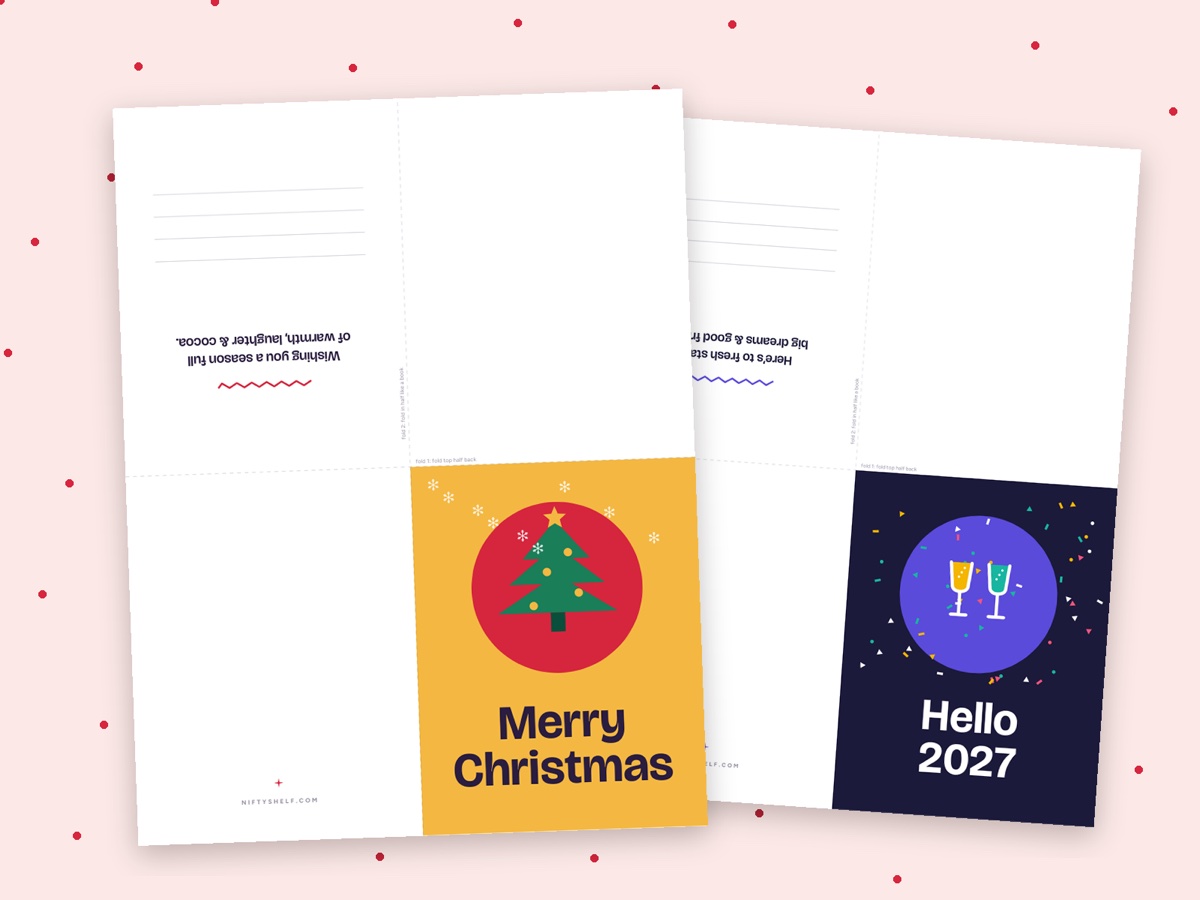
- Foldable Holiday Cards print on one side and fold into quarter cards. Mail cards to relatives abroad first, since international post is slower in December.
4. Weekend of December 19–20: wrap and tag on cardstock
The Christmas Gift Tags file has 30 tags in three styles (bold retro, soft pastel and kraft stripes), 10 per page, each with To and From lines and a punch-hole mark. One tag says “Do Not Open Until Dec 25”, which is useful for gifts that arrive under the tree early.
How to get clean tags:
- Choose the paper. Matte cardstock around 65–80 lb cover (about 175–215 g/m²) takes pen ink without smudging. Glossy paper smears under a pen.
- Print only the style you want. Use Split PDF to keep just page 1, 2 or 3.
- Check the printer settings. Choose “Actual size” or 100%, and set the paper type to cardstock or heavy paper. Many printers handle thick paper better from the rear or manual feed tray. Print one sheet before printing five.
- Cut and punch. A paper cutter is much faster than scissors for 10 tags a sheet. Punch the circle, loop twine through and write the names last.
Count first: 22 gifts need three sheets. As each gift gets its tag, set its Status to Wrapped.
5. Christmas Eve and Christmas Day: games for the gathering
Christmas Eve is Thursday, December 24 and Christmas Day is Friday, December 25. Print the games by the 23rd.
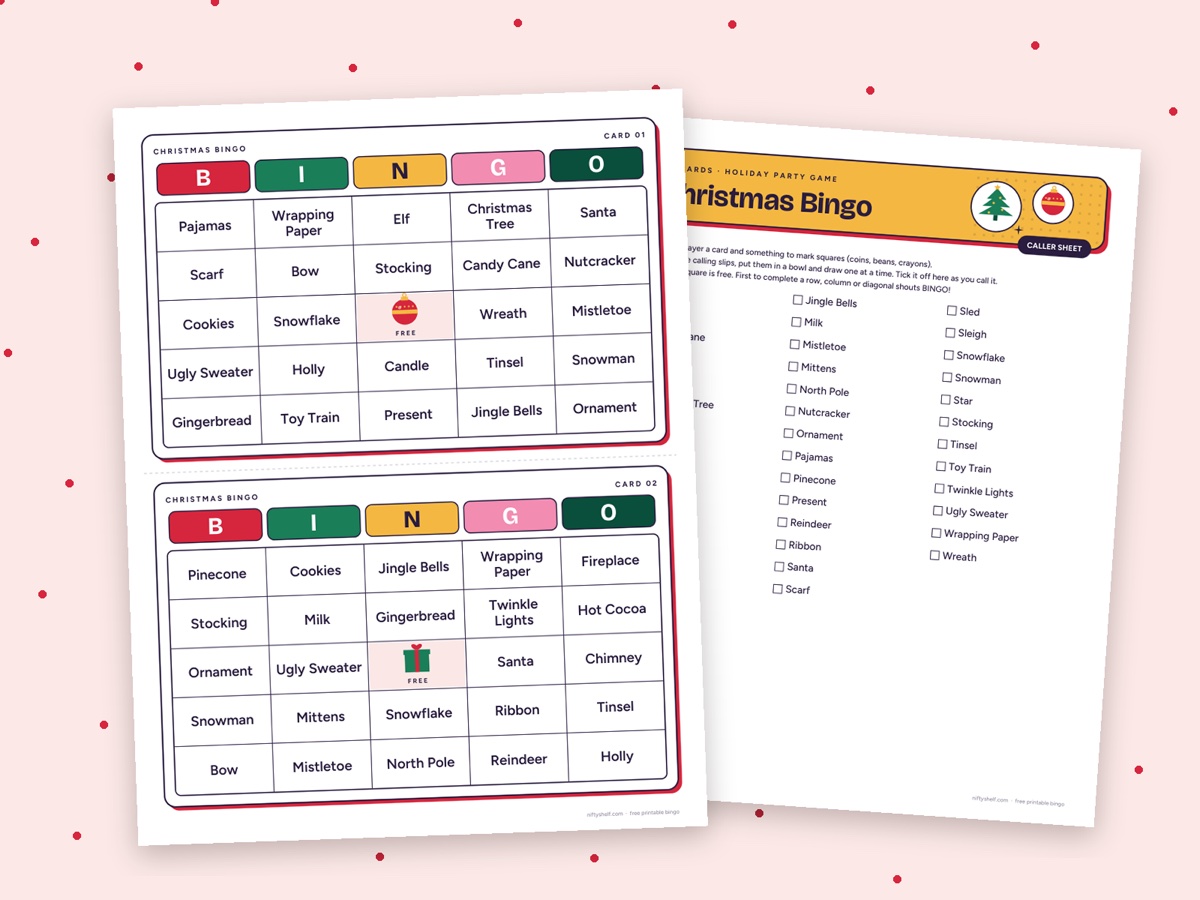
Bingo for everyone. Christmas Bingo has 30 unique cards on pages 1–15 (two per page), the caller sheet on page 16 and calling slips on page 17. For 12 players, type “1-6, 16-17” into Split PDF and print eight sheets instead of seventeen. Tick each slip off on the caller sheet as you draw it, so a winning card can be checked in seconds.
Quiet puzzles. The Christmas Word Search has three puzzles with words in diagonals too, so it suits ages 8 and up, while younger kids can pair up. Christmas Mazes has six mazes, two easy, two medium and two hard. Before printing, split off the answer pages and keep them for yourself.
Save ink and paper. Join everything into one pack with Merge PDF, then run it through Grayscale PDF at 150 dpi. Bingo cards on cardstock in sheet protectors last until next year.
Set a 10-minute word search race with the Online Stopwatch & Timer. For quiet background music during dinner, try Late October Trio or the folk dance Hearthside Jig.
6. New Year’s Eve and 2027 resolutions
New Year’s Day falls on Friday, January 1, 2027, so a long weekend follows.
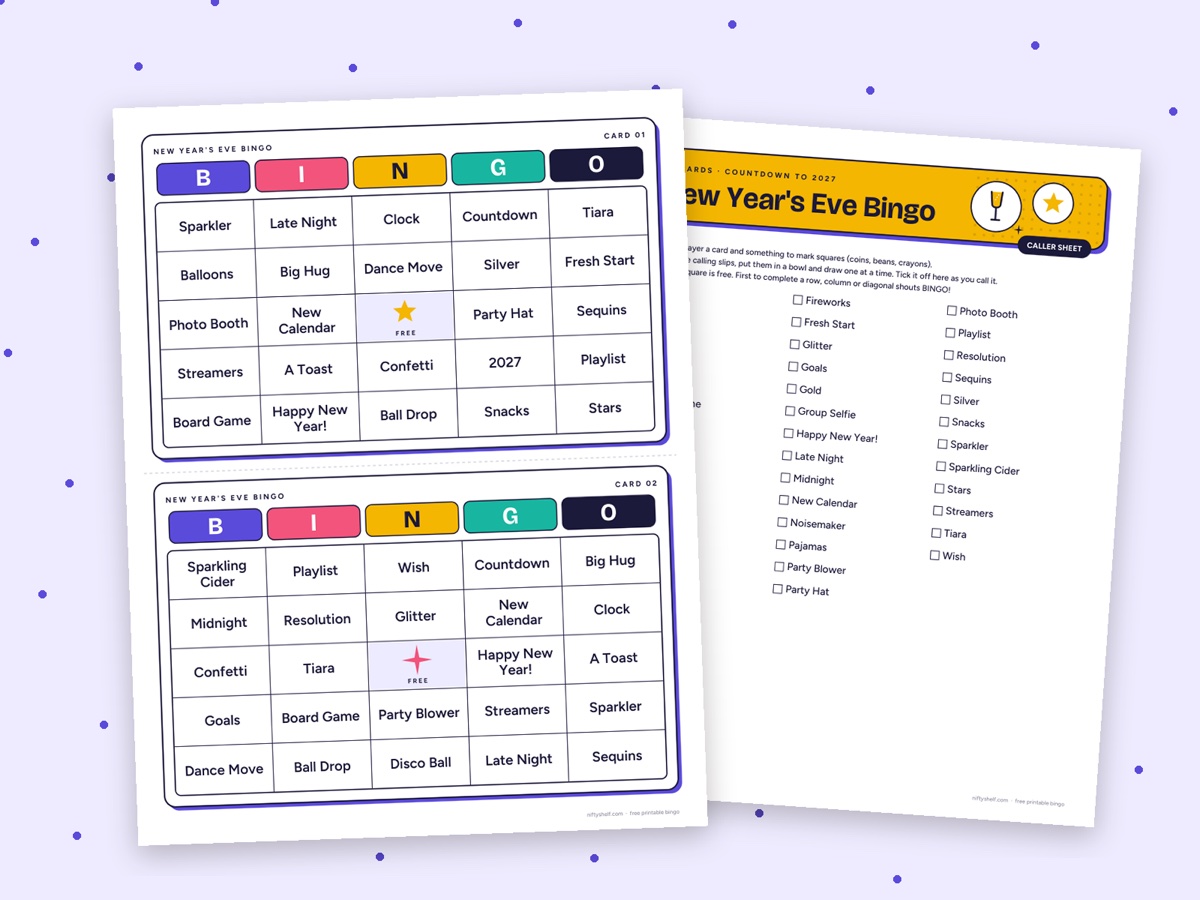
- New Year’s Eve Bingo 2027 has 30 cards, a caller sheet and slips. It fills the hour before midnight nicely.
- New Year’s Eve Word Search 2027 has two grids of about the same difficulty. Give one to each team and race.
- Spin the Wheel picks the next game, and with “Remove winner” on, nothing repeats. The Random Number Generator can roll dice for bonus points.
- With family in other countries, the World Clock shows when midnight reaches them, so you can call at the right moment.
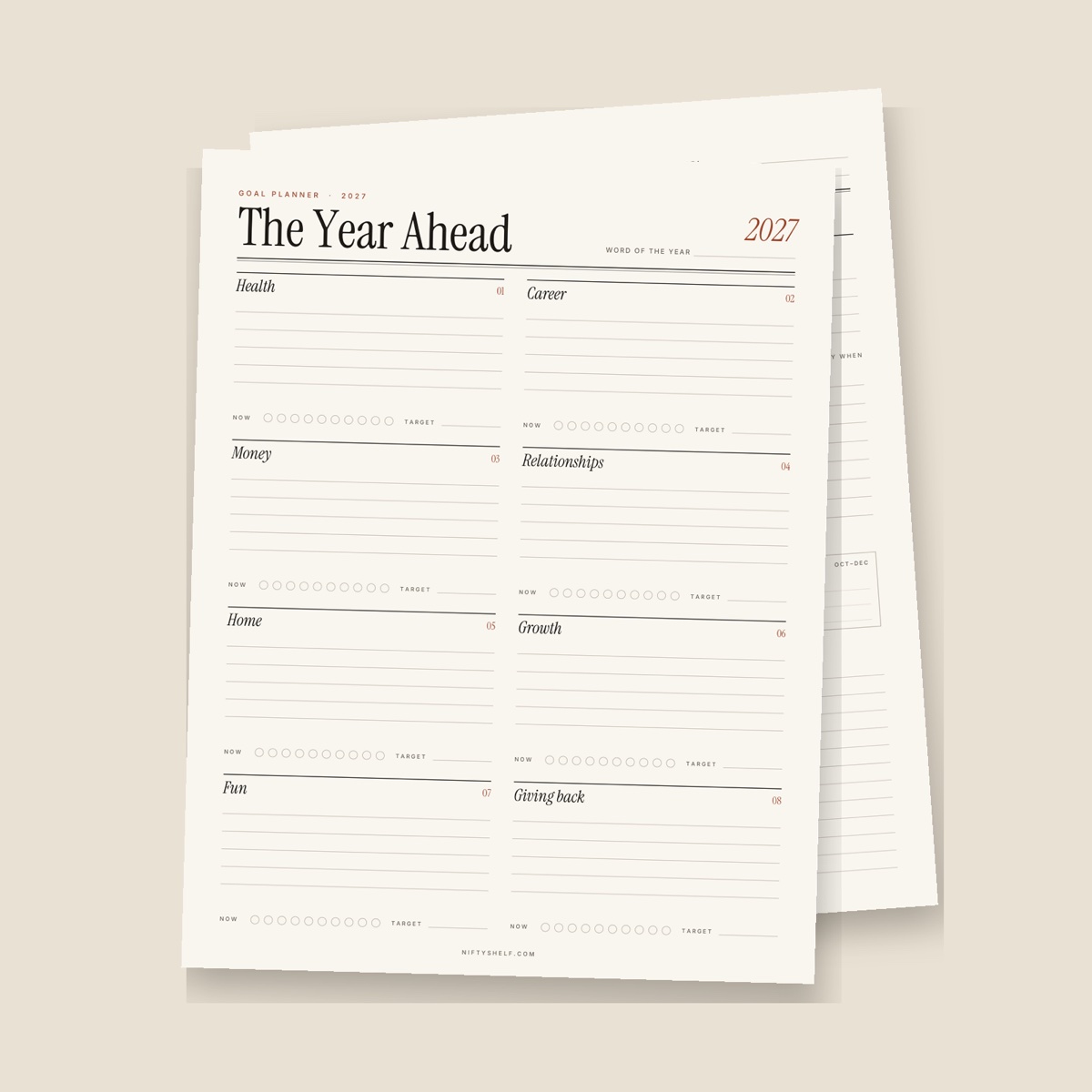
On January 1, fill in the 2027 Resolutions worksheet together. Pick a word for the year, choose goals in six life areas and set reminders for early April, July and October for the quarterly check-ins. Kids get their own “My 2027 Goals” page with a box to draw themselves at the end of 2027.
Finally, note in the tracker where you went over, then save a copy for next year: change the Christmas Day date, clear the Spent column and set every Status back to Idea.
Common mistakes
- Budgeting only for gifts and forgetting food, travel and postage
- Starting to shop before the total is set
- Printing all 17 bingo pages for eight players
- Printing tags on glossy paper that smears under a pen
- Leaving answer keys in the kids’ puzzle pile
- Ordering online gifts in the last week before Christmas
FAQ
Do I need Excel to use the gift budget spreadsheet?
No. It’s a standard .xlsx file with no macros, so it opens in most spreadsheet apps, including free ones. Type only into the tinted cells. Everything else calculates by itself.
What cardstock weight is best for gift tags?
Around 65–80 lb cover, or about 175–215 g/m². It’s stiff enough to hang from a ribbon and still feeds through most home printers. Test one sheet first and use the rear feed tray if your printer has one.
How many bingo cards should I print for a big party?
Each set has 30 unique cards, two per page. For more than 30 guests, play in pairs or teams sharing a card. That’s also easier with very young children.
Can I print these templates for a classroom or community party?
Yes. The templates are free for personal and classroom use, so you can print and copy them as often as you need. Reselling or re-uploading the files themselves isn’t allowed.